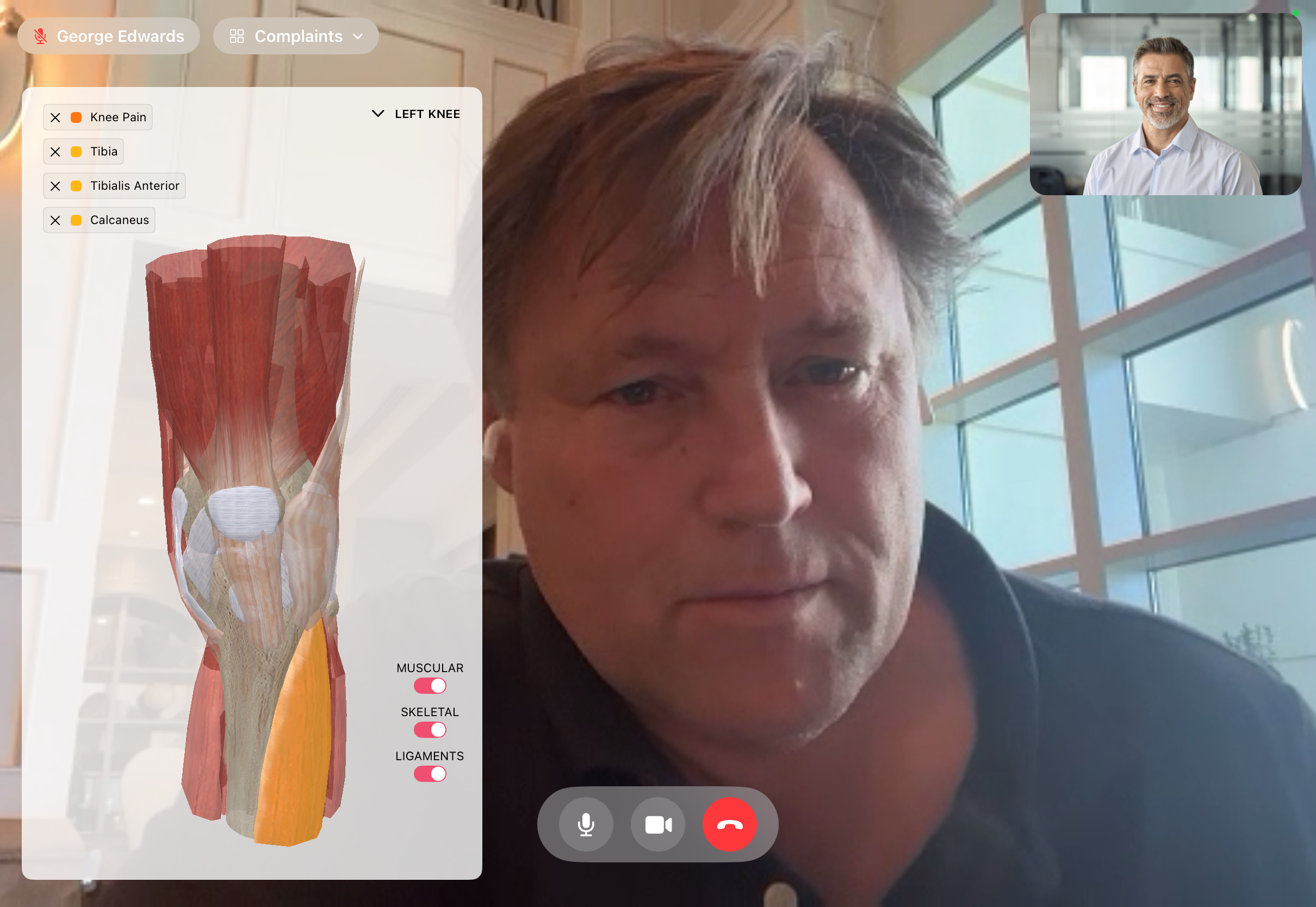
Schedule from the patient record. Take the call without leaving FitsPro. The patient's documented complaints, anatomy view, and prior scans stay on screen — you're talking to the patient, not a chart in another tab.
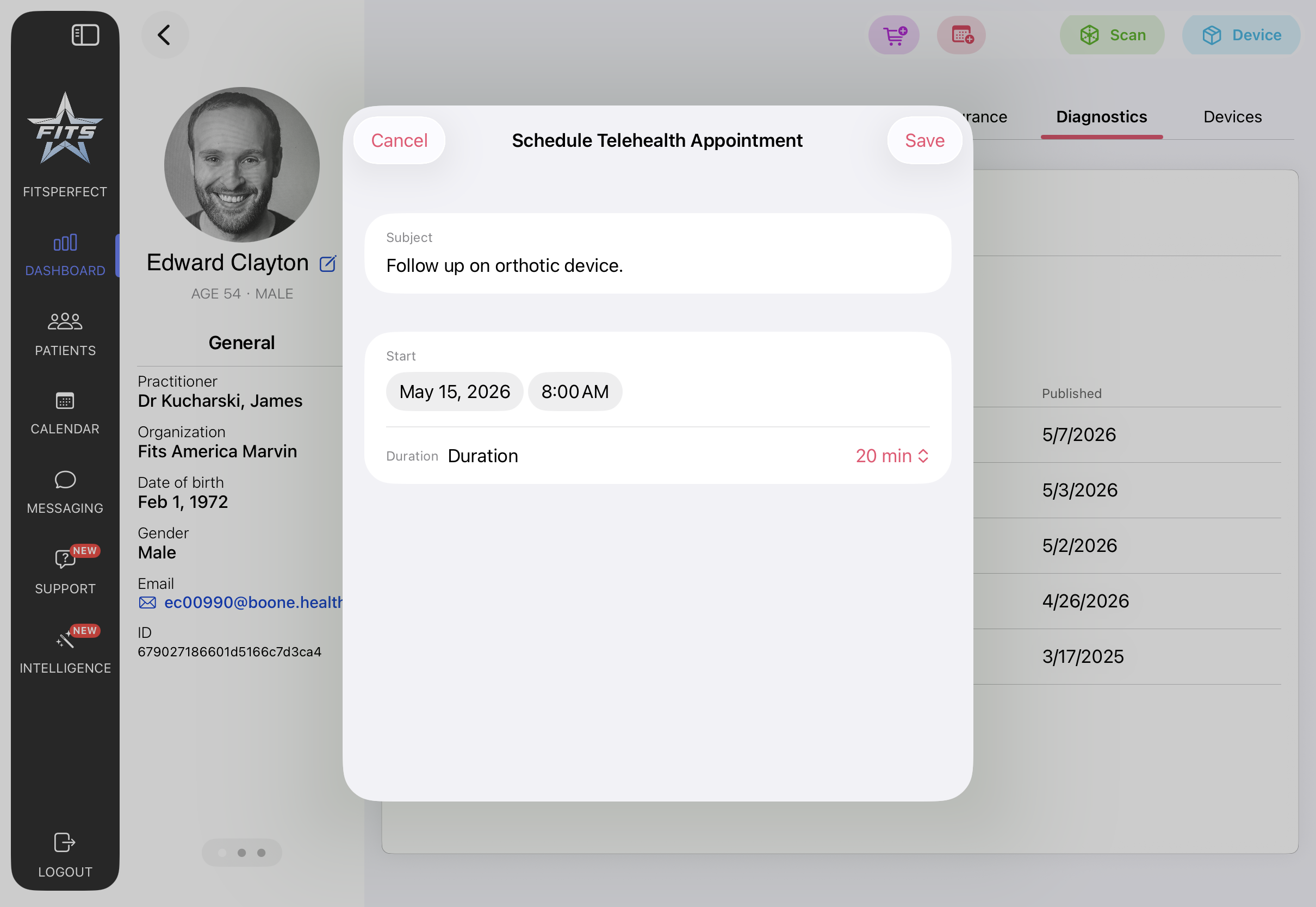
Open the patient's record, choose a duration, write a subject line, and the session is scheduled against the practitioner's calendar. No external link, no separate scheduling tool, no third-party meeting URL emailed back and forth. The appointment lives on the same record as the patient's scans, devices, and clinical notes.
Embedded video sessions powered by Zoom Video SDK. The practitioner sees the patient's documented complaints and a 3D anatomy view in the same frame as the video call — switch between muscular, skeletal, and ligament layers to walk a patient through a finding, or pull up a prior scan for context. The patient sees their practitioner; the practitioner sees the patient and the chart.
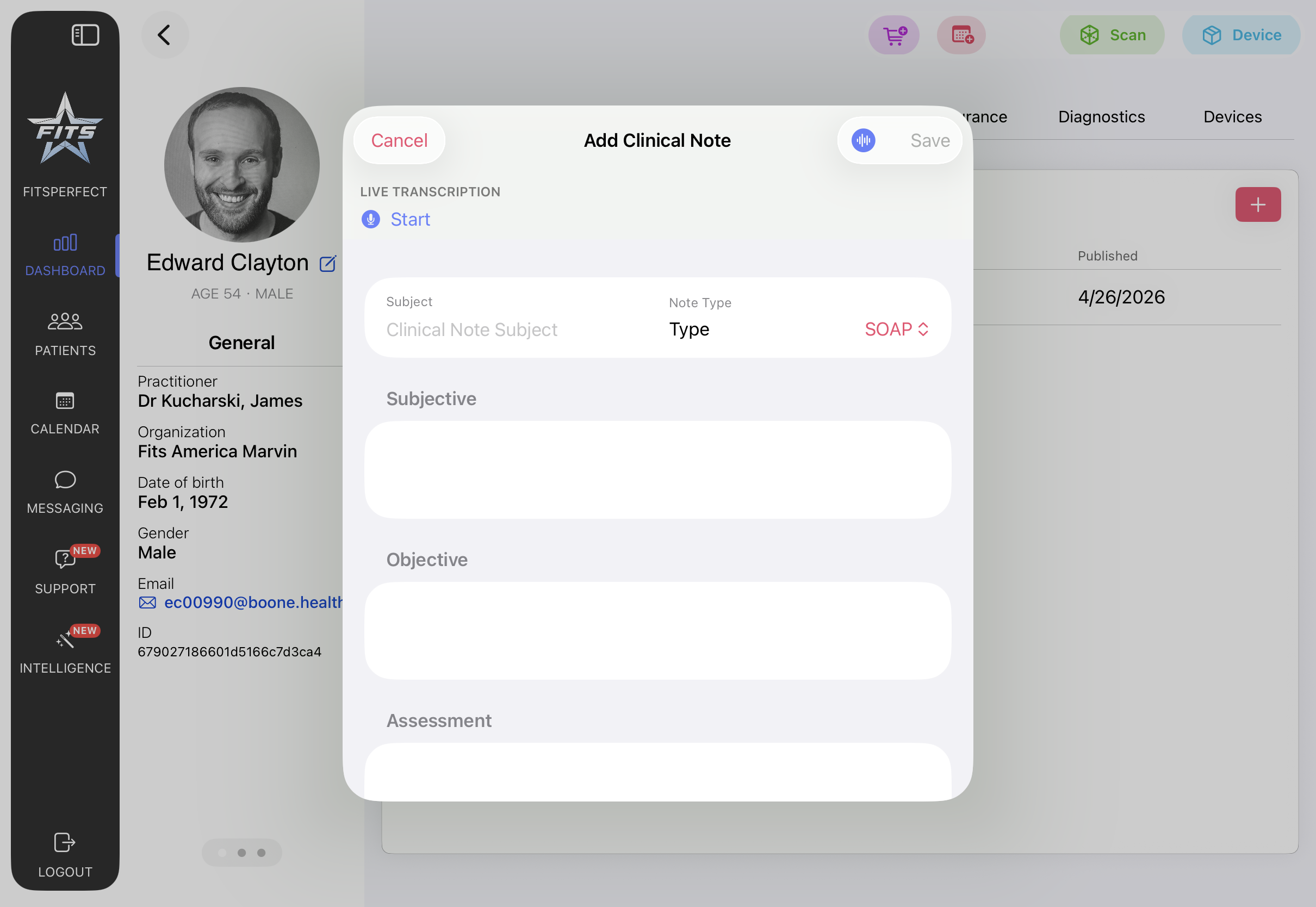
Notes written during or after the call save directly to the patient record. Order a follow-up scan, prescribe an orthotic, open a support ticket, or schedule the next visit — without leaving the session. Live transcription is available when enabled; the practitioner reviews and saves before anything is published to the chart.
The orientation call covers the schedule → connect → document workflow end-to-end. Available to every practitioner on the App Store; no extra licensing.